
Step 1: remove VEEHD Plugin from Windows remove
The VEEHD Plugin is a Browser Plugin from the site VEEHD. On the page are mainly offered Videos - the Tool sucks, however with extensive advertising.
- VEEHD Plugin uninstall: Open the control panel and sort the list of installed programs after the installation date. Remove the entry "VEEHD" and other unknown additions.
- AdwCleaner: The free AdwCleaner is done in many cases already the Rest. You start the Tool, run the Scan and remove all findings.
- Browser shortcuts: in the Browser-shortcuts can be Adware hiding. The examination lasts only a few seconds.
- Malwarebytes Anti-Malware: do you Have the VEEHD plug-in is captured, it may also have other Malware on your Computer managed. A virus Scan can't hurt in any case.
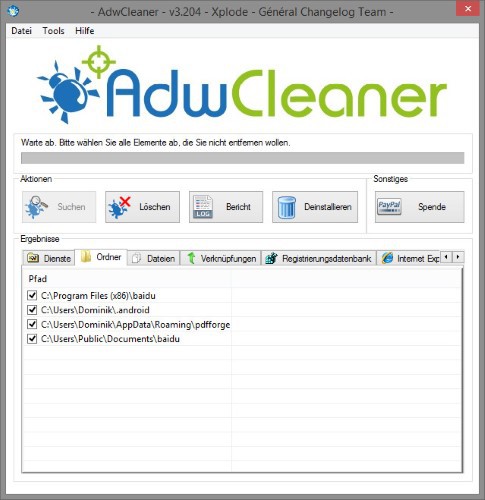
AdwCleaner: VEEHD Plugin removal
Step 2: remove VEEHD Plugin from the Browser, remove
Remains the VEEHD Plugin is still in your Browser, you need to remove it manually. To do this, follow the appropriate instructions:
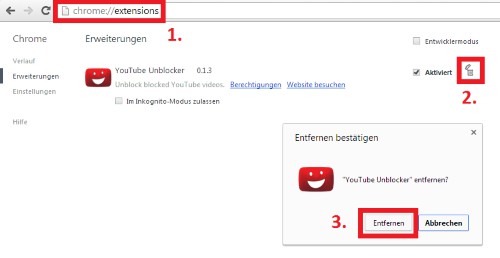
Chrome: Add-Ons delete
In the next practical tip we show you how to individual files online for virus check.





