
Causes for to faint Sound in Windows 7
- First, you should install the latest audio drivers for your System. You can usually find on the website of the manufacturer of your Sound chip. For many Onboard sound cards, you can also use the Realtek High Definition Audio Codecs to use.
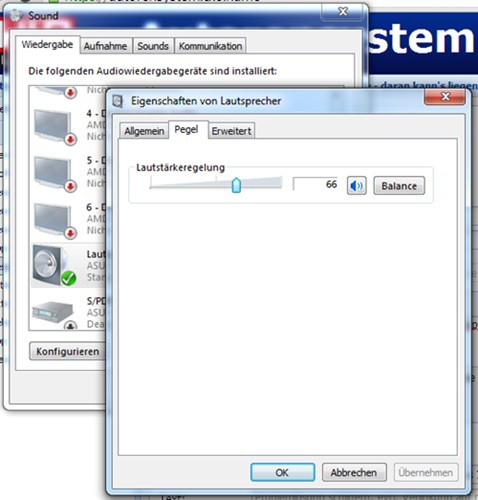
- Click with the right mouse button on the speaker icon at the right bottom of the screen and select "playback devices". Then you need to select the device in the list with the right mouse button, your current playback and click on "properties".
- Click on the tab "levels" and slide the Slider all the way to the right. Confirm with "OK".
- Now select the "communication" tab and put a check in the "do Nothing". Confirm with "OK".
- Then click with the left mouse button on the speaker icon at the right bottom of the screen and select the Option "Mixer". Make sure that the Regulator for all listed programs is located in the upper third, and none of the audio sources is muted.
- In the worst case, the Problem is your Monitor or your speakers. You can test the Hardware with another device.
The sound is too low: you can do
If you are only in Chrome not hear any Sound, help you to the next practical tip more.





