No Sound in the Chrome Browser to fix the Problem
- First, you should check out some General things: Make sure that the speakers are plugged to your PC and enabled. Similarly, the Sound must not be set on your PC on mute or extremely quiet.
- You have a Video with sound in Chrome, run and click on the speaker icon at the right bottom of the screen. Select "Mixer" and make sure that the sound in Chrome is disabled or at a very low Level is set. If the Chrome Tab audio, you will see the speaker icon in the tab bar.
- If that doesn't work, click with the right mouse button on the speaker icon and select "playback devices". In the next window click with the right mouse button on your speakers and click "configure speakers". In the next step you have to select "Stereo", click two times on "Next" and conclude in the last section of the configuration.
- Chrome should play after a restart still no sound, uninstall the Browser completely from your PC and reinstall it. Disable after reinstalling all unnecessary Plugins and try again, a Video with sound. If the Problem persists, you should it in detail in the Chrome product forum signs.
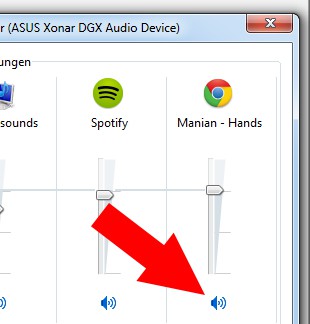
Chrome: No Sound
If you have installed Chrome, you can set the Browser back to its default settings. How this works, we will explain in the next tip.