Windows 7 logs off automatically – they can do that
You will be logged out after logging in to Windows 7 automatically, simply follow the steps below:
- First go to the control panel of your PC and open here "adaptation". Click on "screen saver" and make sure that either no screen saver or the check in the "sign-in page after reactivation" is set (see picture).
- In addition, should be set in the "energy settings" in the "control panel" under "Advanced settings" all settings on "never".
- You may have caught a Virus that forces the automatic logout. We will explain how you can in case of virus attacks procedure should.
- Open the start menu and type "msconfig" into the search field. Confirm with [Enter]. In the tab "Autostart" should only contain the programs that you trust and who you know.
- Unless you drive a keyboard with buttons for shutting down or logging off of the computer, you should remove this test from the PC. Perhaps these buttons have to be logged out of a loose contact, which is why they.
- If these tips do not help, you can create a new user in Windows to create. As a result, the Problem can often be fix.
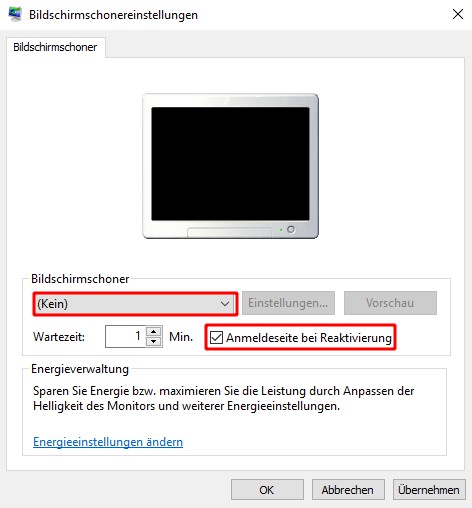
Win 7 automatically logs out
In our next tip we tell you what the problem can be if Windows 7 has no Updates found.