Adobe-error "could not save The document"
- The error message "The document could not be saved in the Adobe Acrobat", there is usually only one reason: The file is opened a second time. This fact prevents them from saving Changes. Because a document is displayed twice, relates to a Modification of the document, both open versions.
- You can only make a Change and save, if the file is only opened once. For this reason, you need to close the second Version.
- In business, it may happen that two users have simultaneously open a PDF file. Even if the file is write-protected, this error message can occur. Then you must remove write protection.
- Often you may not notice but that a second Version of the PDF file is opened. Because this is often opened as a preview in the Explorer. It is also the Explorer, where you have accessed the file before.
- Tip: do you do this frequently, you can disable the preview also easy. In the Explorer, click on "view" and then on the top left of the "preview window". With a click of the Button you can activate the preview, with a second click, turn it off again.
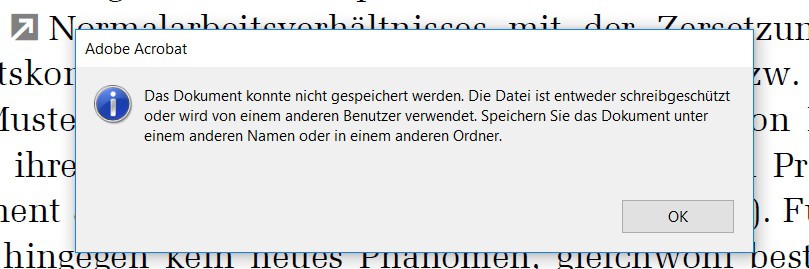
Adobe Acrobat Error (Image: Sven Schulz)
On the next page we show how you to whole web pages as PDF to save and archive.