NTFS, FAT and exFAT
Since Windows Vista, the hard disks are formatted with the NTFS file system. USB Sticks and external hard drives, however, often the older FAT Format.
- FAT: The file system has been introduced FAT in 1980 and has developed over the years under the names FAT12, FAT16, FAT32, and VFAT on. FAT is used today mainly in the case of external hard drives, USB-Sticks or digital cameras.
- exFAT, Since Windows Vista, there is the Format exFAT was designed for Flash memory.
- NTFS: The NTFS file system has been around since 1993, but it has only been since Windows Vista the mandatory Standard. It offers compared to FAT, some benefits, such as disk compression and less loss of data.
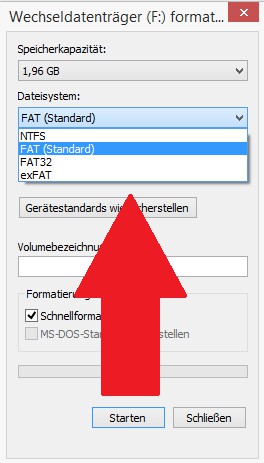
NTFS, FAT and exFAT
NTFS vs. FAT: file systems compared
- File size: The file size is restricted in FAT to 4 Gbytes. Nowadays, a whole movie in good quality suits so not on a FAT System. In the case of NTFS, the limit is 16 terabytes.
- File-information: NTFS stores in addition to the time of the last access other data, such as, for example, the owner. In the case of FAT, this is not possible.
- Power: The smallest possible units, the Cluster in NTFS is 4 KB in size. In the case of FAT, the clusters are 16 Kbytes in size. Data on NTFS-formatted drives, effective, encrypted, and with a low risk of data loss, are saved.
- Compression: A compression and encryption of files on NTFS is possible.
Which file system should I use?
- FAT: The Format is especially suitable for USB-Sticks. External hard drives should be formatted in FAT, if they are not used exclusively with Windows machines.
- exFAT: This is a Format that should be considered as a universal Format for USB-Sticks and SD-cards. However, the Standard has not yet really. Under Mac OS X, exFAT is only from Version 10.6.5 compatible.
- NTFS: This is the Standard Format for all installed hard disks. External hard drives are formatted with NTFS makes sense. Only if you want to use the external hard drive in conjunction with other devices such as DVD players, is often FAT is advisable.
How to create a disk in Windows format, we will show you in the next tip.