Start MS Outlook in safe mode
- Simultaneously press the keys "Windows" and "R", so the command "Run" will open.
- Enter "outlook /safe" and press the "OK"Button.
- Now, Outlook starts in safe mode. Only the most necessary functions will be loaded here.
- Note: you may need to select before the Start of Outlook, a profile.
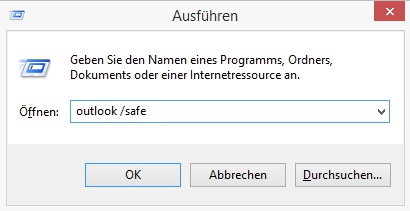
Outlook: Safe Mode
In the next practical tip we show you how to make a vacation responder in Outlook create.