
Format painter in Word multiple times
Follow these steps to Format a piece of text the same several times:
- Select first text to copy the Format to another.
- Double-click on the menu item "Format". You can find it in the section "clipboard".
- You can now mark with your mouse pointer in various Places in succession, to transfer the previously selected Format to this.
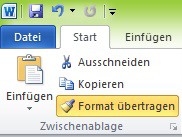
Format painter in Word multiple times
This practical tip is based on MS Office Word 2010. In another practical tip we show you how to use the Format in Excel or PowerPoint.





