So in Excel, remove a line break
Note: This practice tip has been tested with Excel 2013.
- If the line break is active, click on the "Start"tab.
- Here you can see the green markterte button "line break". This means that the line break is active.
- To remove the line break, simply click on the button. Click it again, select the line break again.
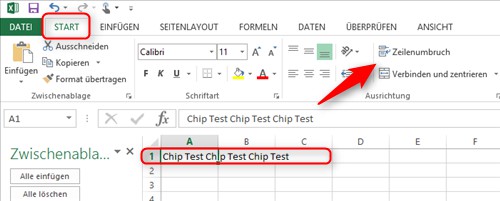
Excel: line break removal
On the next page, read how you can in MS Office Excel, use the decrease indent.