Motherboard drivers update – so go ahead
- Download first the free Tool CPU-Z , download and install it on your PC.
- Run the Tool after Installation and you take a look in the Tab "Mainboard". Make a note of the exact name of the mainboard.
- Go to the website of the manufacturer and search for the motherboard drivers for your model.
- Download the latest driver to your PC by clicking "Download".
- Open the downloaded file and follow the instructions to update the driver. In another practical tip to get you more information.
- Wait until the Installation and therefore the Update is complete. Meanwhile, the PC may not respond.
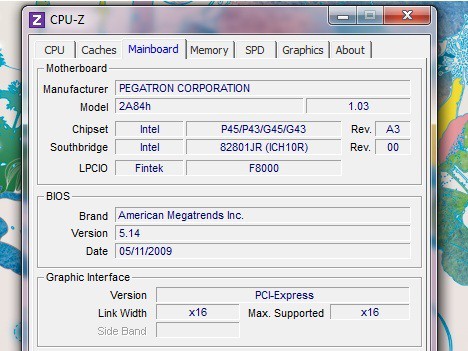
Mainboard update drivers
At the same time you should also get your motherboard, clean it regularly.