
2 WhatsApp Accounts on one phone: The prerequisites
- First you have your Android phone rooted , so that the Trick works.
- Additionally, install the latest versions of Root Apps, SuperSU and BusyBox.
- Of course, may WhatsApp your device is not missing.
- Disable all ad blockers and make sure that your Custom-ROM, advertising, Ads automatically hides.
WhatsApp multiple Accounts to use how to work with what more
With the Android App what more you can activate multiple WhatsApp accounts on a device. The full version will cost you 2,90 Euro and allows up to five Accounts on a Smartphone. The Free version gives you access to two accounts and includes advertisements. The free Version, you can activate as follows:
- You open the App, a screen is displayed. Click on this, you will be redirected to Google Play.
- You close the Play Store directly. Now more banners, including a four-digit Code appear.
- You will have to copy the Code and enter it in the what more, to activate the App.
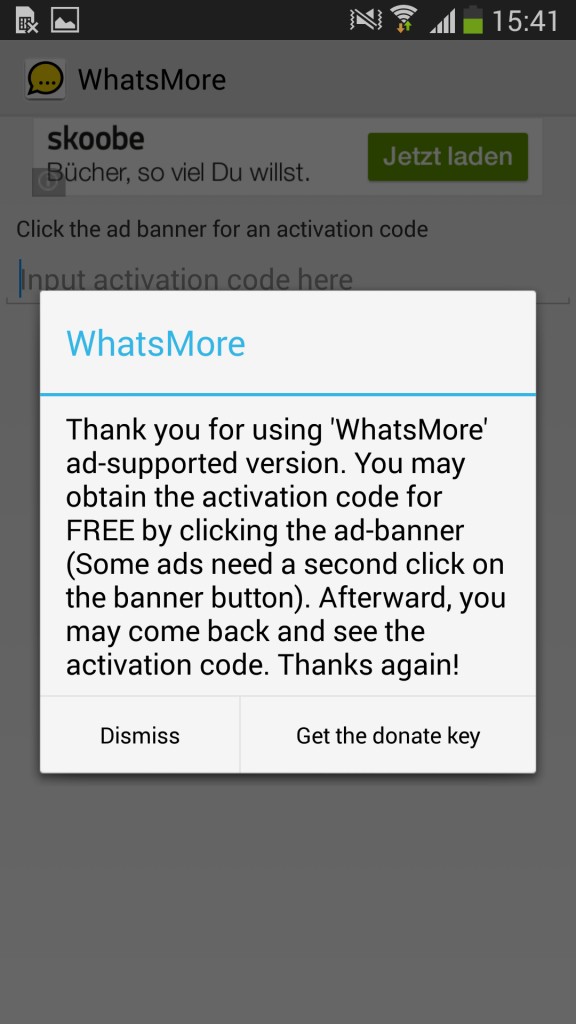
Free Version of what more to activate
What's more: Between the WhatsApp accounts navigate
- Go to "Manage Profiles" and activate your WhatsApp account you already use on the device.
- Now click on "Prepare WhatsApp for a new registration" at the bottom of the screen. Your current SIM card will be disconnected from WhatsApp temporarily.
- Turn off your phone and insert another SIM card or change your number in the case of a Dual-SIM device.
- Register with the new number in WhatsApp and link the Account as in step 2, with what more.
- You switch to what more now in the tab "Status". The active WhatsApp Account is highlighted, all the other accounts appear to be transparent. To activate a different Account, tap on the Icon and select "Launch WhatsApp".
- Alternatively, you can switch the Auto-Rotation. So what more switches in a specified time interval automatically between the Accounts, so the messages for both accounts will reach you in a timely manner.
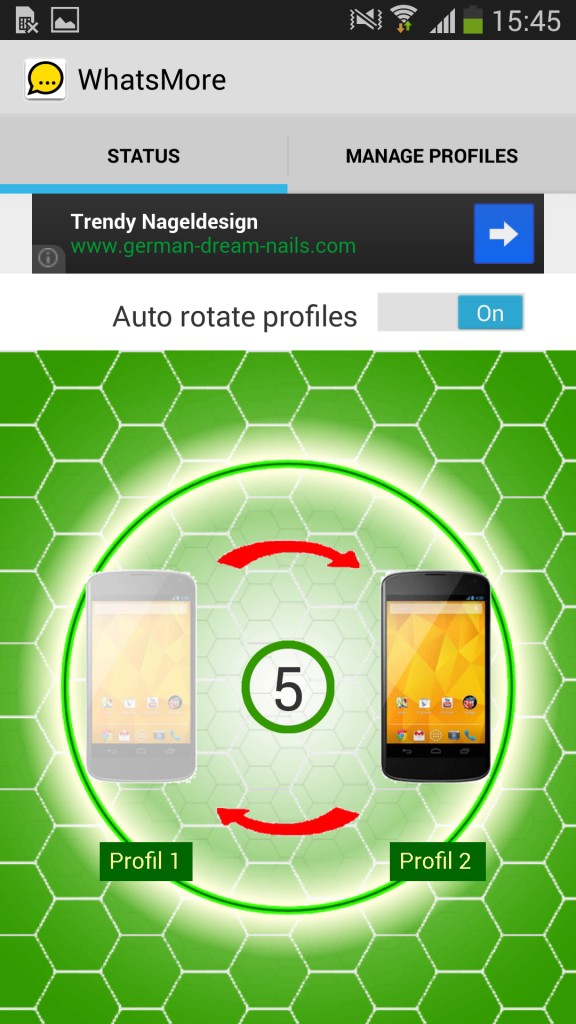
What more: account switch
You get a new phone? How to make your WhatsApp Account with a new device keep, we can tell you in the next tip.





