
Windows automatically restarts - what to do?
Sometimes, Windows is corrected in the Background, system errors and restarts afterwards automatically.
- In order to stop it, open the control panel.
- Here you will find the sub-item "System" that gives you an Overview of your operating system and the Hardware installed. You can open this list by typing "System" into the search.
- In the left menu you choose the entry "Advanced system settings".
- Under the point "and restore" click on Start "settings".
- Under "system failure" you will find the option "Automatically restart". This is enabled by default.
- Remove the check mark and save the Change by clicking "OK".
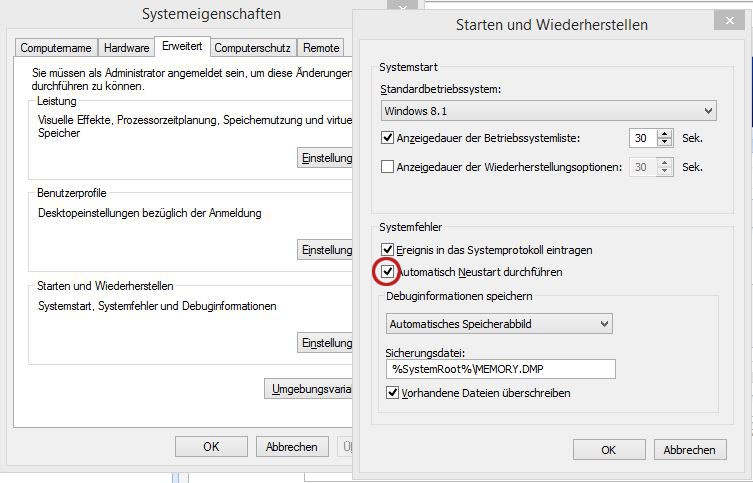
Windows shuts down automatically
in the next practical tip learn, what you can do when Windows will not start.





