
IP address is read out under Windows 8.1
The IP address you need, such as for a LAN-Party, or for other devices in your network. And so you find out the combination of numbers:
- Click with the right mouse button on the Windows icon in the lower-left corner of the desktop.
- Then click on "control panel" and the menu item "network and sharing center".
- A new window will open. Here, click on "adapter settings" and select your desired connection with a double-click.
- With a click on "Details" you will see all the relevant information to your connection. You are not sure which IP-address is the right one, pay attention to the Format of the address – usually of the type 192.168.x.x.
- If you want to know, with which IP-address you see on the Internet are, we can help you in this practice tip more.
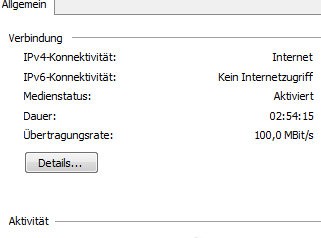
IP-address in Win 8
In our practice, tips you can also find solutions to Wi-Fi problems in Windows 8.1.





