
Mouse pointer size in Windows to adjust
- You go to the Desktop and right click on a free area. Open the Option "Customize".
- In this window, you go to the top left on "mouse pointers".
- Click on the drop down box under "scheme". Here are all the available mouse pointers of Windows 8 list (see image).
- All of the magnified mouse pointer with the bracketed words "big", "very large" or "extra large" in. Select the pointer that you like best and click on "OK", the Change should be fixed.
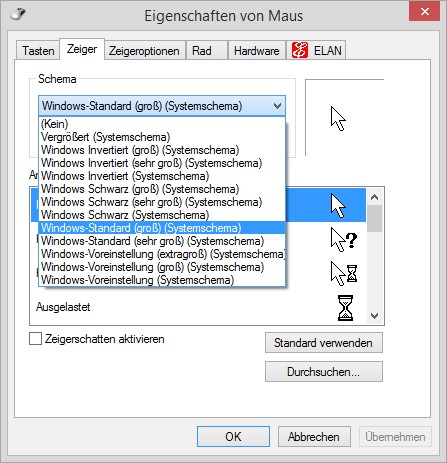
Mouse pointer in Windows 8 change
You can zoom in on Windows 8 can also include additional elements, such as text or window frame. More to read in this practical tip.





