
Apps via the Store in Windows 8 restore
On the Store App in Windows 8, the formerly installed on the PC that Apps can find and install it again.
- Open the Store App.
- Click with the right mouse button on any point on the screen.
- Click in the bar at the top of the screen, click "your Apps".
- Select in the left-hand of the two upper selection menu the Filter "On this PC Apps not installed".
- Select with a click the Apps you want to install again (a green checkmark will appear on the App).
- Click on the corresponding Apps in the bottom bar to "Install". These Apps will now be installed again.
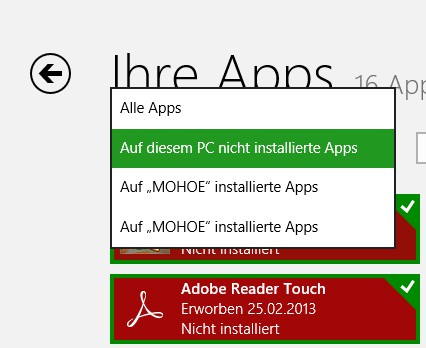
Former install Apps again




