
System restore in Windows 7 to perform
- Click on the Start Button.
- A tap at the bottom of the search bar "system restore" and then select the appropriate result.
- A new window will open. Here is the last restore point is automatically pre-selected.
- You do not want to use this, click on the Option below, select an older restore point and click on the "Next" (see image).
- Finally, click on the Button "finish" will start the system restore. It takes one Minute approximately, until your Computer will restart automatically. Depending on how fast this works, you can take the whole process several minutes.
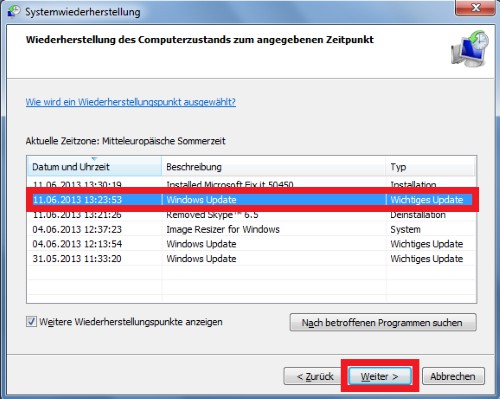
Sysmstemwiederherstellung




