
Games on Windows 10 record - so it goes with on-Board tools
- You launch any game under Windows 10 and simultaneously press the keys [Windows] and [G]. The image freezes then a and down a small menu appears.
- With this menu, you can start the recording now. On request, the last 30 seconds of recording. Have you experienced something Extraordinary, you can rotate the time back.
- Is recorded via the new Xbox App. Here you will find the Gameplay to the recording. The Video, for example, on Facebook share, copy, OneDrive or on your Desktop.
Windows 10: Gameplay recording
Gameplay under Windows and consoles to record
- Alternatively, you can record your games also with external Software. Relatively easy to use is Screencast-Tool Fraps.
- You use Steam, you will not need any additional Software. In Steam is already integrated a matching function. Where you find them and how you use them, we will show you in the practice tip "Steam: Gameplay recording".
- Do you have a console, you can enjoy your games on the Xbox, the PlayStation 3 and the PlayStation 4 record.
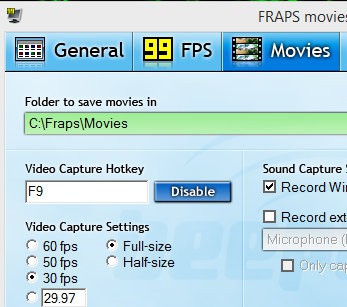
Fraps: Screencast on Windows 10
In the next practical tip we show you how to Xbox One games on Windows 10 stream.





