
User under Windows 7 change - how to
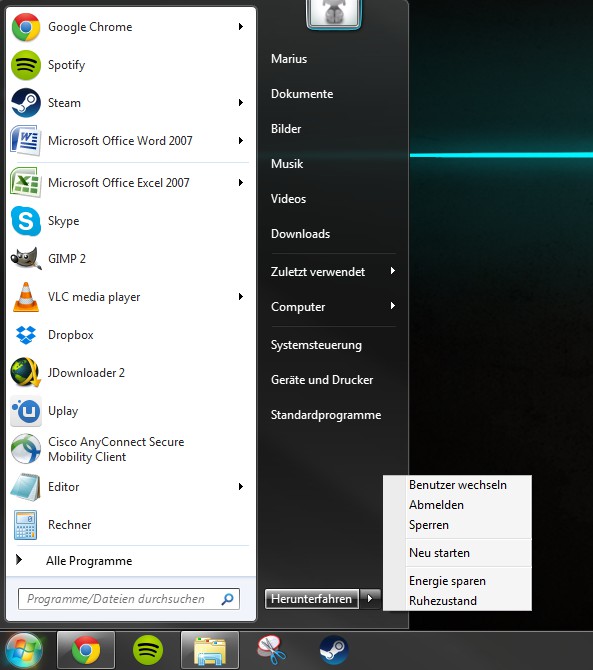
- Click in the lower left corner on the Windows Logo.
- In the start menu, right click next to the Button "shutdown" on the small arrow.
- Here, select the Option "switch user", it takes you to the login screen. There you can login to the other user account.
- Alternatively, press the key combination [Windows] + [L], and then click "switch user". So you save the way through the start menu.
Windows users, go to
You can use one of your accounts frequently, you can Windows 7 without Login, start let.





