Word-images are not printed - they can do that
- From the menu, select the Option "file" and then choose "options".
- In the menu "Word options", click on "View".
- In the part of the print options area, enable the options "print drawings created In Word" and "background colors and images to print".
- Finally, confirm the Changes by clicking "OK" and start a new pressure test.
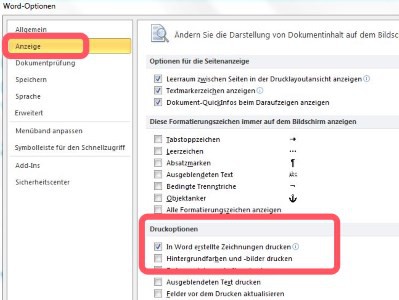
Images in Word, print
Of course, you should have your images in Word appealing placeto go to in the tables as well as in the free arrangement. The steps described are related to MS Office Word 2010.