Step 1: remove Foxy Security
Foxy Security is an Adware made in Germany. The Software is usually installed unintentionally and unnoticed on the PC, and nests in the Browser and the System. Foxy Security promises to protect them from the dangers on the net, but the hazards only by Foxy Seurity on your Computer.
- Foxy Security uninstall: Open the control panel and sort the list of installed programs after the installation date. Remove the entry "Foxy Security" and all the other unknown additions. A step-by-step instructions you'll find in this practical tip.
- AdwCleaner: in order for Foxy Security from your Browser and the Registry disappears, we advise you to this free Tool.
- Malwarebytes Anti-Malware: This may be still harmful files of Foxy Security on your Computer, you should in addition Check with this virus Scanner.
Remove Foxy Security
Step 2: Foxy Security from the Browser to remove
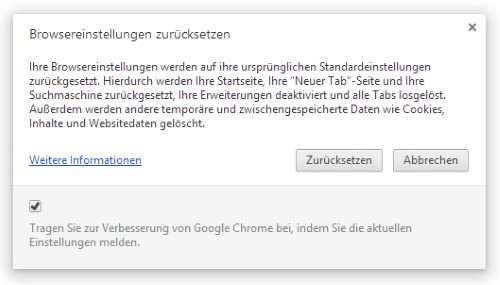
If you continue to have problems with your Browser, we advise you for security reasons, to a complete reset.
Foxy Security from Chrome, remove
In the next practical tip we show you how to individual files online for virus check.