Home Blog Archive Internet Photos upload to Google Maps

Photos upload to Google Maps

  • Jan 15, 2026
  • 528
  • 0

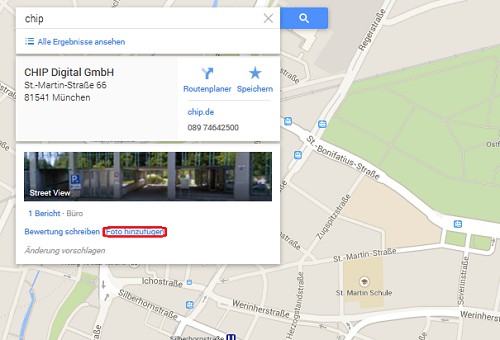
In the case of Google Maps, each Google can upload user photos of the Restaurants, shops and co. So you can spice up for example, the entry for your business on Google Maps with a photo.

Google Maps: add photo

Google Maps: my photos delete

You can delete the uploaded photos again:
  1. Log in to Google+ to you, go with the mouse on the "Overview" and in the list, click on "photos".
  2. Locate the photo you want to delete and click on it.
  3. In the upper area you will see a trash can icon. With one click you can remove the photo from the Google pages.
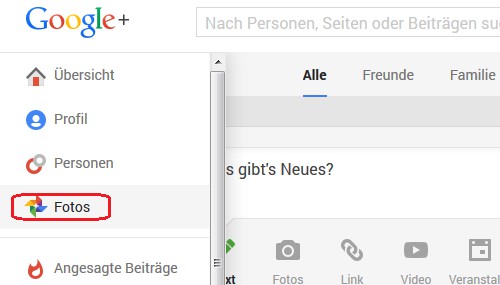
Google Maps: delete a photo
Read also how to create a Google map correctly to print.

YOU MAY ALSO LIKE

Chrome: Zoom reset - how to

  • Sun 18, 2026
  • 582
  • 0

GMX: All E-Mails to mark as read

  • Sat 10, 2026
  • 1232
  • 0

0 COMMENTS

LEAVE A COMMENT

Human?
1 + 3 =


