
Mail notifications on Pinterest disable - how it works!
- Open the Pinterest website and log I in to your account.
- Click the top right of your user name, and then click "settings".
- Now you are already in the correct Menu section: "profile". Scroll down to the Heading "E-Mail notifications".
- You can disable all Email notifications, by clicking on the button next to the eponymous item.
- You want to still receive individual notifications, leave the first Option enabled. You then disable the things you Pinterest is not to notify. In addition, you can determine whether you are always received only once a day or in real-time the Pinterest-Mails.
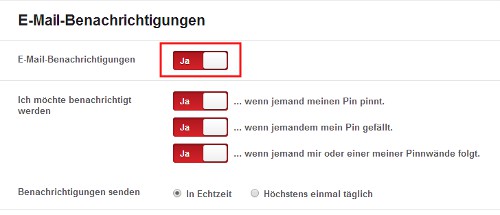
Pinterest Mail Notification
Are you using Pinterest dissatisfied, you should think about an Alternative. We will show you the differences between Pinterest and Tumblr.





