
Instructions: In-App purchases are disable on iOS
On your iPhone you can disable In-App purchases, follow these steps:
- You go into the "settings".
- Tap on "General" and then "restrictions".
- There you will tap "enable restrictions". You can now specify your limitations code.
- Now slide the Slider for "In-App purchases" to the left.
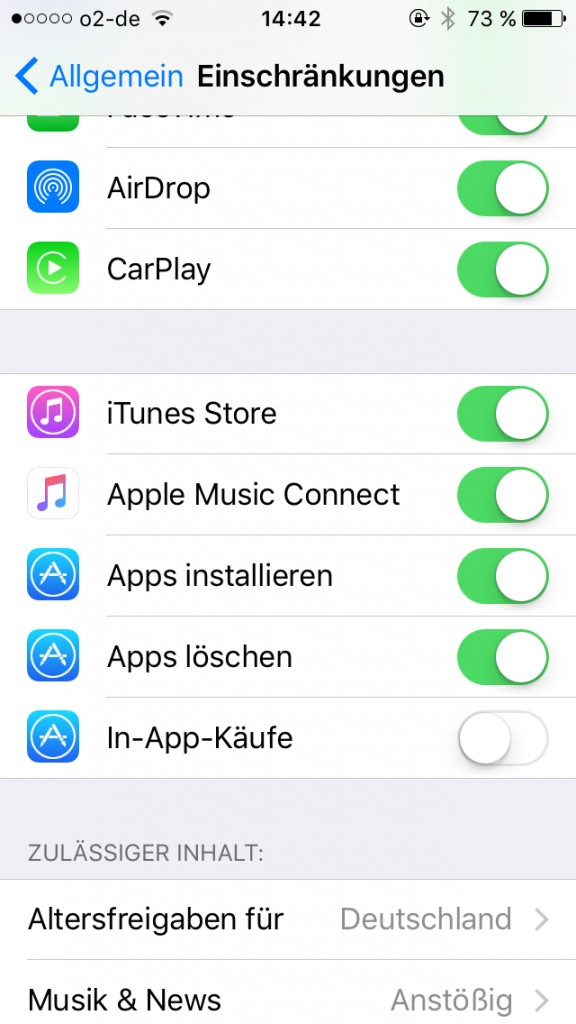
In-App purchases disable
Android Smartphone: password for In-App purchases set
To do this, proceed as follows:
- Tap on the Play Store and there on the Icon for the menu.
- Scroll down and tap on the "settings".
- Here, tap on "require authentication for purchases".
- Here you can now - if not available - a password set, and set, if for every purchase or every 30 minutes, the password will be queried in the Store.
We will also tell you how you on your iOS-device Apps without Appstore install.





