
FreeCommander XE: Extensive Explorer-Alternative
With the "free commander XE" is one of the window-the Chaos of the past: The Free Explorer will show you two different folders side by side to. The files and folders you can move so easily by Drag & Drop.
- All the well-known views are available: you can view the files as a list or with thumbnails. The size of the Icons, determine for each window.
- Well-known file formats such as PDFs, Word files or pictures shows the Freeware even in a separate preview window.
- Of course, the Explorer also supports Zip and Rar files. You can open the archives directly and edit it to unzip the files.
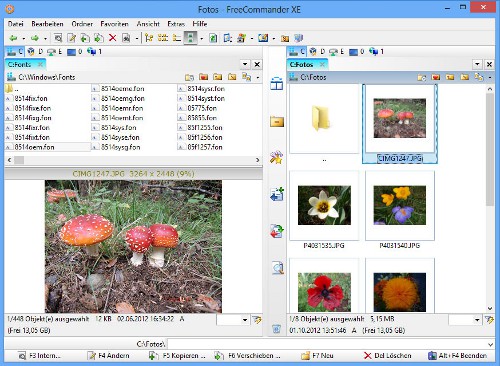
Free commander is in use
Multi Commander: The double Windows Explorer
Also the "Multi Commander" boasts a Dual-Panel. In addition to the Standard Features, the Freeware but it has many more features:
- For example, you can open each window with multiple Tabs. So you can quickly switch between all of the important directories. Your files also move them by Drag & Drop.
- In addition, the Freeware integrates your FTP Server, and lets you multiple files at once with rename. You can even convert images to different formats. This is still not enough, you can find in the settings for more useful Plugins.
- Best of all, Multi Commander is also available as a portable Version. So you have your personal Explorer everywhere.

Freeware Explorer Alternative
TeraCopy: The perfect Explorer Supplement
The Windows Explorer is set to weaken in a further crucial point: the speed. The free Tool "TeraCopy" speed up your copying process and displays progress in.
- Particularly in the case of a large number of files, TeraCopy makes a good figure: The data are copied within a few seconds. In addition, you can pause the process at any time and resume it at a later date.
- The only disadvantage is that TeraCopy is not a full Explorer replacement. So you need to install necessarily one of the other Tools.
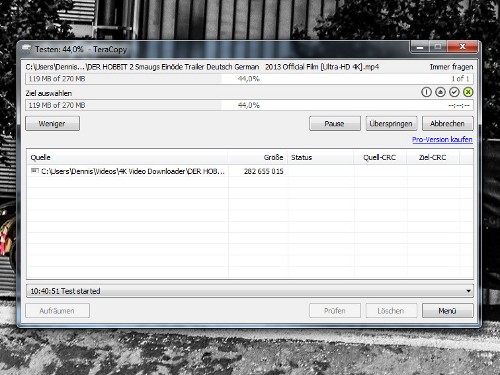
Copy files with TeraCopy
You decide against the FreeCommander, you should also install a pack program. In a further article, we provide you with the best Alternative to WinZip before.




