
-Reply to SMS on Windows Phone 8
If you can't just take an incoming call, you can send a text instead-answer. To set the answers and edit them:
- Open the settings and swipe to the right, so that they read as a Heading "applications".
- Scroll down and open the item "phone".
- If you scroll further to the bottom, read "SMS reply". The switch should be active.
- Click on "edit reply".
- Here you can set four different SMS-reply, you can send an incoming call to the caller.
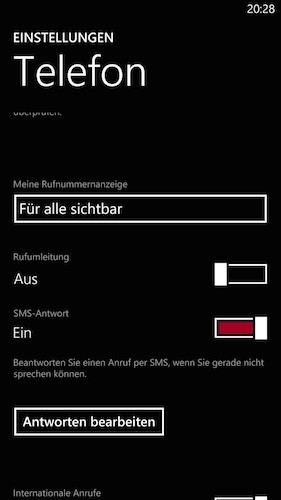
SMS reply setting
In another article we will show you how you under Windows Phone 8 call and SMS blocking.





