Zoom-in effect in Movie Maker
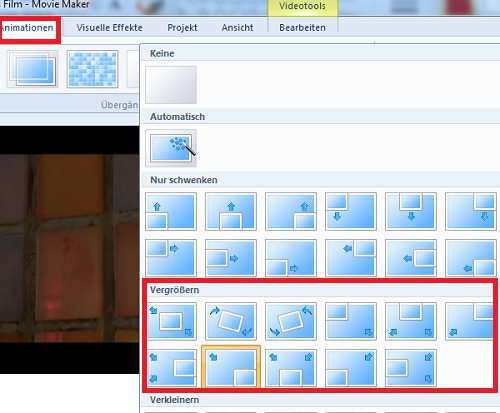
- Extensive Zoom effects in Movie Maker in vain search. However, you will find in the "animations" from the menu "view" (see image). You can apply to images.
- The Zoom speed you can set in the tab "video tools". It is, however, dependent on the duration of display.
- For Videos, there is no Zoom Option.
Zoom in in Movie Maker?
Better zoom with active presenter
For a Zoom-in in your Video you do not need expensive video editing Software like Final Cut or Adobe Premiere: Instead, you can use the Freeware active presenter to draw:
- Create a new project and upload your Video.
- Click with the cursor at the point in the Film, you want to a Zoom-in effect.
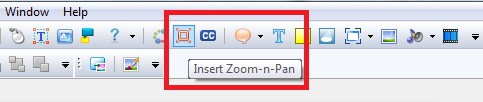
- In the top menu you call bar with a click on the Zoom Button (see image) a picture box.
- The box you need to position on your Video. This image is subsequently enlarged.
- Finally, you can define the Zoom duration in the track "Zoom-n-Pan", and then export Video.
ActivePresenter: Zoom-in
Tip: another effect can be reached in Movie Maker with the Screenshot function. So you can, for example, a scene in the Video freezing.