
Screenshot in Windows Movie Maker 2012
The latest Version of the Windows Movie Makers you can find here for Download.
- You open a project or add a Video file.
- You run the Slider on the Video preview to the point where you want to customize the Screenshot.
- At the top, click the "startup" tab and click on the "snapshot" (see image).
- It is a new window in which you can now send the name and location of the image select open. Then click the "Save"Button.
- Now you can import the Screenshot again in Movie Maker or other things to do.
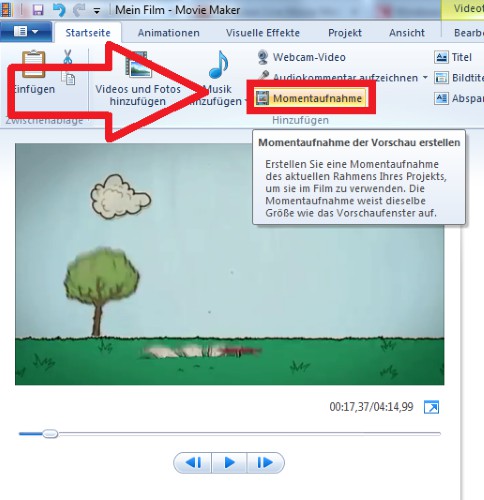
Screenshot in Movie Maker
How to take a Screenshot of your screen customize, you will learn in this practical tip.





