Spartan-enable in Windows 10 Preview
Note: Microsoft is expanding the Preview of Windows 10 and after. Currently only the Rendering is Engine enable. The Design does not change, the Browser however is much faster.
- Open Internet Explorer and type in the address line, type the command "about:flags".
- Under the category of "Enable Experimental Web Platform Features" change the Option to "Enabled".
- Restart the Browser, you can use all the new Engine of Spartan.
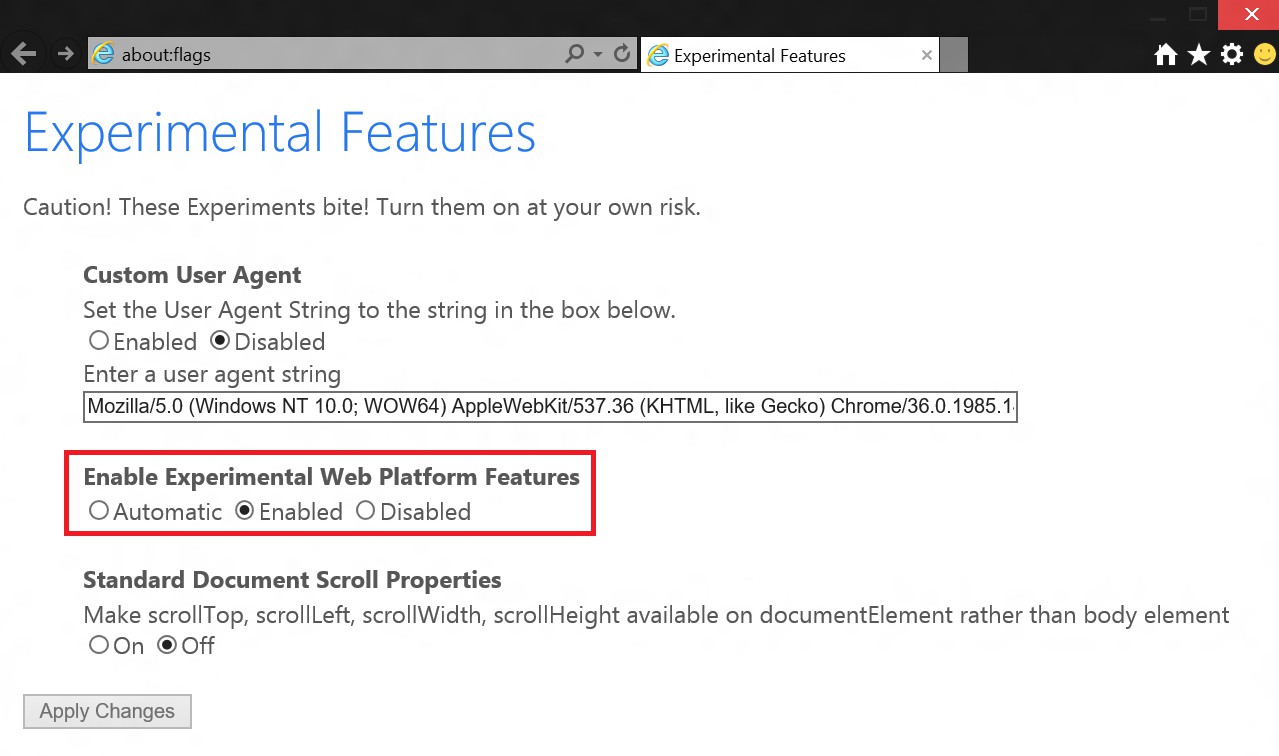
Windows 10: Spartan to activate
In the next practical tip we show you how you can have multiple Desktops in Windows 10 open.