
PSP Firmware update - these are the options
- The Firmware can be directly on the PSP via Wi-Fi to download, as well as manually transferred from the PC. Also, the Installation of a UMD is under certain circumstances possible.
- Make sure that all three operations to the fact that the battery of your PSP is sufficiently charged. You want to be on the safe side, connect the PSP to the operation of the power.
1. PSP Firmware on the console to download and install
- Select in the main menu of the PSP under the "settings" category "System update".
- Then choose the "update via Internet" and select your Wi-Fi connection.
- It is now looking for a new Firmware. Has been found, it is downloaded.
- The Download is complete, confirm it with the [X] button. Then, the Firmware Update will be installed.

PSP: Firmware update manually
2. PSP Firmware via PC to update
- Connect your PSP via USB cable to your Computer, so you can access them on the Memory Stick.
- You create (if not already present) a folder named "PSP". In this folder the folder "GAME". These, in turn, the "UPDATE"folder.
- Download now the latest PSP Firmware and copy it in the folder "UPDATE".
- Insert the Memory Stick in the PSP and select the "settings" category "System update".
- You choose the Option "update via storage media", will be installed the Firmware Update.

PSP Firmware download
3. Update PSP Firmware via UMD install
- Some of the games for the PSP require a certain Firmware. This is then supplied, in many cases, directly as a UMD.
- Insert the UMD, and select in the main menu under the category "games" in the "software update".
- You confirm the operation, will be installed the Firmware on the UMD, if it is more current than the previous one.
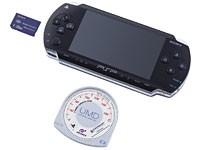
PSP Firmware update via UMD
In the next practical tip we will show you how to make your PSP connect to your TV.





