
VLC Media Player: Zoom function
- Open the VLC Player and select the category "tools" the "effects and filters".
- You can switch here to the tab "video effects" and then to the register card "Geometry".
- Enable the Option "Interactive Zoom" and click on the "Close"Button.
- Now start a Video, you will see at the top is the entire image reduced in size (see picture). You move the Rectangle in order to Zoom fit.
- On the underlying Control, you can enlarge the neck, depending on the desired in or out.
- Click on the lettering "VLC Zoom Hide" will hide the Zoom Option. Over the "VLC Zoom Show" will appear on the back.
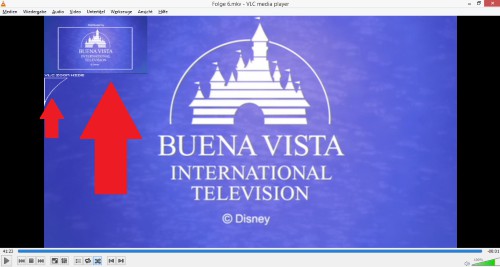
VLC Player: zoom





