
Mouse and Touchpad speed in Ubuntu increase
- Open the Ubuntu menu bar settings and the Gear Icon.
- Click on "mouse and Touchpad".
- In the section "mouse" move the Slider to the right to increase the "pointer speed" or lower to the left to you.
- You can increase under "General", also the double-click speed.
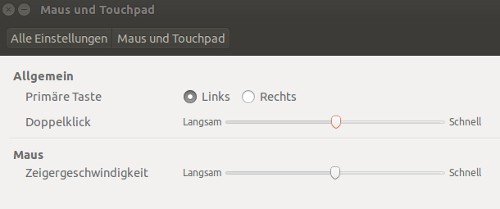
Pointer speed increase
Read also, as in Ubuntu, the screen lock disable.





