
Linux: partition Manager install
The partition Manager should not be installed, follow these steps. He is already present on your System, you can skip directly to the next section.
- Open the Terminal and type "sudo apt-get install partition Manager" (without the quotation marks). Run the command.
- You may also need other packages. You give so "sudo apt-get install jfsutils reiser4progs reiserfsprogs xfsprogs hfsprogs" and press Enter.
- Alternatively, you can install Ubuntu to the Software Center and there is the "KDE disk partitioning program".
Linux: New hard drive create Partition
Open the partition Manager on your Terminal with "sudo Partito Manager".
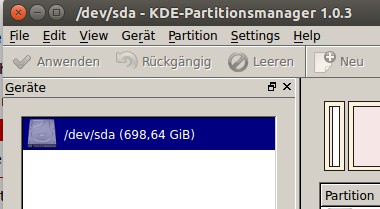
- In the partitioning program you have to click under "devices" on your hard drive, and select in the right-hand display, right-click the unused disk area.
- Select in the opened menu select "New" and in the "New Partition"window, the size of the new Partition.
- Confirm via "OK". Only after a final confirmation on the "Apply" links at the top of the partition Manager menu, the Operation is executed. Be patient – the process can last a while.
Linux: partition create
In other practical tips we show you how to on Ubuntu, the language packages to install and such as you on Ubuntu, the files to hide.





