
Taskbar: Skype-hide icon permanently
As soon as you open Skype, the icon stays in the task bar. With the next steps, you hide it permanently.
- Go to Skype and select the menu bar "actions" > "options".
- Go to the tab "Advanced" (see Screenshot).
- The Skype-hide icon from the taskbar, remove the check mark in "Skype in the taskbar when I'm signed in".
- Confirm the Changes by clicking "Save".
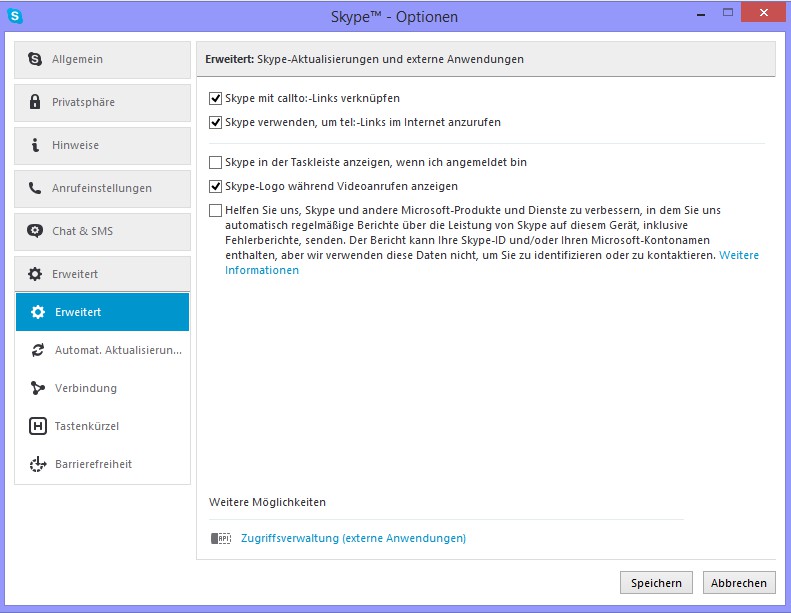
Skype: icon in the toolbar to hide
The manual describes a solution under Windows 8.1, and Skype 7.3.59.101. In another practical tip read, as a blocked contact in Skype again.





