
Mindmapping: FreeMind as the most successful open source Tool
The most common Tool for mind Mapping is FreeMind. The program is free and open source, but it still offers a great variety of functions. FreeMind allows you to in our download area download.
- Each of the nodes you can select with a Wealth of symbols with which to keep track.
- Thanks to the sophisticated keyboard shortcuts, you can work quickly and effectively. For example, press just "insert" a new node to insert.
- The Text of each node, you can edit in a complete text editor. So all the lists as nodes, for example, points use.
- The result can be for example as HTML or save to PDF and easily with other users to share, without the need to install the Software.
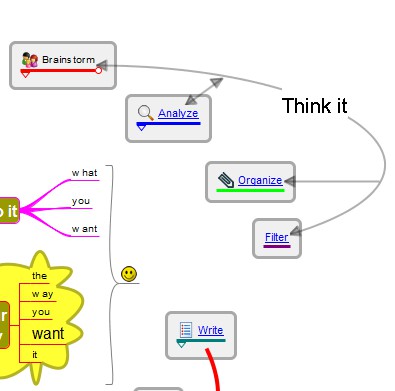
Free, simple mind maps
(Image: Screenshot)
Mind mapping: free, an extended FreeMind plane
An employee of the developer studios, the FreeMind programmed, the open-source project, critical revision. The result of the free plan, we offer them here for Download. The user interface of both programs is similar, however freeplane is in spite of the larger function to use scale more easily.
- You can create a free plan is significantly prettier and more individual mind maps.
- By connectors, easy Connections between distant nodes can be created. This gives Clarity, if a mind map has many cross-connections.
- By node styles, you can manage your Mindmap Designs and quick to apply.
- The UI was revised, among other things, there are more symbols to choose from.
- On request you can free tarpaulin with a number of useful Add-ons to expand.
Individual mind maps make
(Image: Screenshot)
Mindmapping: Professional mind maps with XMind create
XMind is a professional Software to Create and edit mind maps, the free in the basic version is usable. You can XMind also directly with us download.
- In XMind, you can start a new Map, starting with a main node, then expand with any of the points.
- The Software allows you to Add symbols and images, annotations and free-text. The colors and the Design of the mind maps are highly customizable, so you can make custom graphics.
- In addition to the classic mind maps you create with XMind in addition, tree and fresh fishbone diagrams, Spreadsheets, and timelines, in which they record their ideas in a different arrangement.
- XMind can import existing Maps from other programs and also supports the file format of FreeMind. Finished mind maps give you as a Text or HTML file, or save it as an image file on your hard disk.
- With the paid Pro Version you get more features. Among other things, XMind provides a special Brainstorming mode and you can create presentations based on their mind maps.
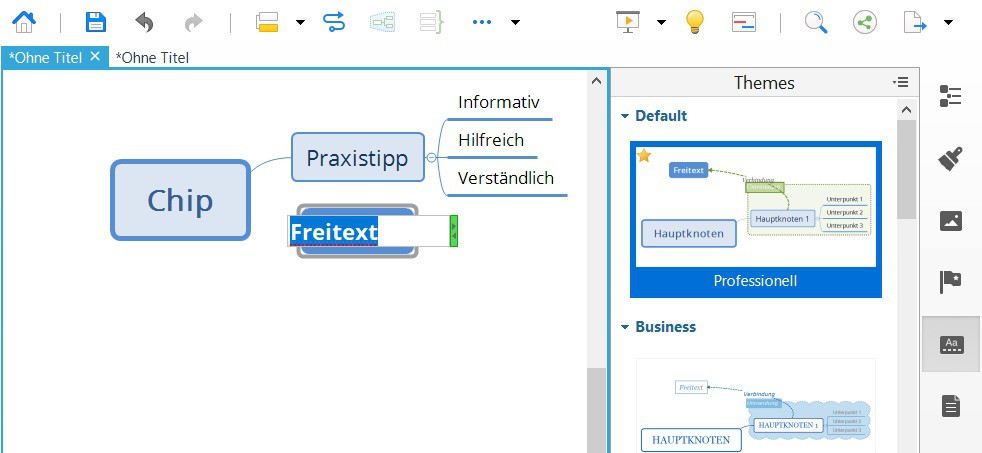
XMind professional mind maps
Like a simple tree diagram, you will learn in this practical tip.





