
Gimp: PDF files, convert to graphic
- Start GIMP and click the top left of the main window, click "file" and then click "Open".
- Navigate to the desired path, and double-click on the desired PDF file.
- Here you can select the sections and pages that you want to import into GIMP.
- You put down the hook in front of the "enable antialiasing" and click on the Button "Import".
- You can then edit the image and how accustomed to "file" and "Save" it as an image file export.
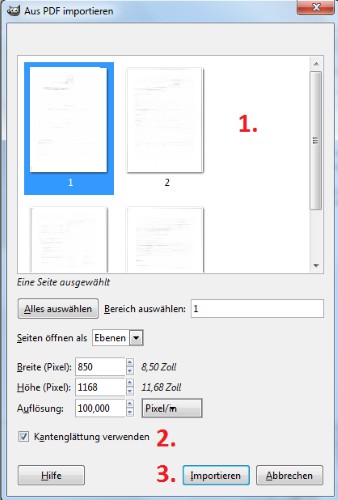
GIMP - PDF save as image
How you images with GIMP pixelize, you will learn in this practical tip.





