
Mozilla Firefox - PDF-power-off function in the Browser
If you prefer to use other programs for Viewing PDF's, you can turn off the default setting for the internal Viewer, simply.
- Open the settings of Firefox on the menu button in the top right.
- Click on "applications" and search for in the text box to "PDF".
- Now you can select in the drop-down menu, such as Firefox with PDF's process. You can choose a different program PDF should open, or whether each Time it is requested. Alternatively, you can have the PDF's just save, without having to open them.
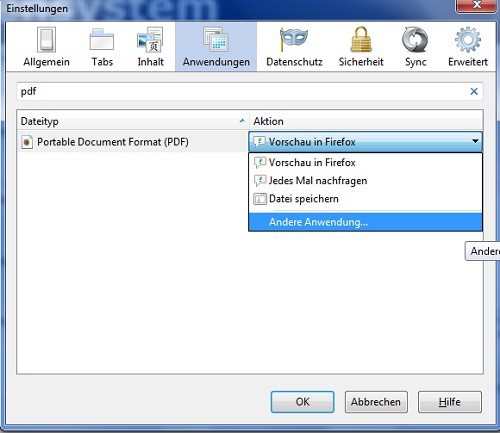
PDF settings change
This practice tip was created with Firefox 29.0.1. How you protected PDF's print can show you here.





