
OneDrive forgot password: New password generate
If you have forgotten the password to your OneDrive account, you can use a so-called security Code to your alternate E-Mail address to send.
- Visit the Login page of Microsoft.
- Click below the login button on the "you Can't access your account?".
- Choose the Option "I forgot my password" and click "Next".
- Enter your Live Mail address and the Captcha Code.
- In the last step, you can have a security Code sent to your registered E-Mail address. Confirm your input with "Code".
OneDrive forgot password
OneDrive forgot password without Mail address
You have no alternative E-Mail address in to your Live account and deposited at or no longer exists this, you can use the following steps to your new password.
- Follow the above steps 1-4.
- In the next step, select the Option "I do not have this Info" and click "Next".
- Enter a contact email address where you can be reached.
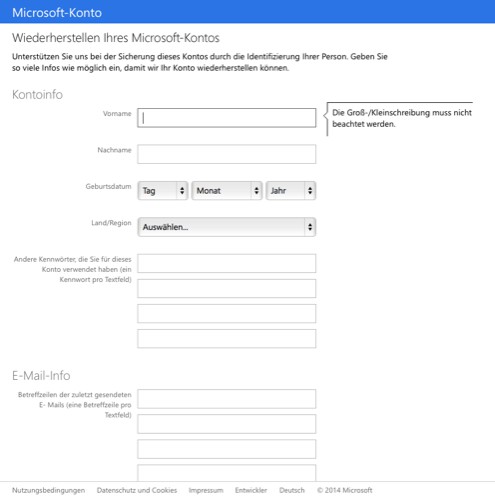
- Then you will be directed to a form where you need as much as possible to fill out. In the process, questions are asked such as "subject lines of recently sent E-Mails" or "E-Mail addresses of contacts who have sent you recently an E-Mail".
- If you have entered, press "submit". If your data are not sufficient, you will receive a new password via e-Mail to your specified address.
OneDrive password reset
By the way: you can use OneDrive also create polls. In the next practical tip we will show you how this works.





