
Formulas in Word insert
- Open Word and the document.
- Click in the document where you want to insert the formula.
- Now select the tool tab of the "document elements toolbar".
- On the very left you will find the Button "formula".
- Now a new tool bar appears and the document element "formula". Here, you can now create your desired formula from the requirements. Then, you can simply click outside of the document element, to exit the formula editor.
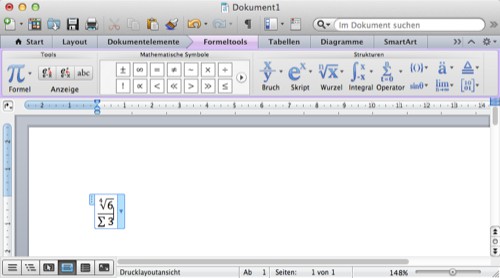
Formulas in MS Office
This practical tip is based on Word 2011. Read also, how to you in Word, Text around an image to let.





