
MS Office Word: rows in a table share
A row of a table in "MS Office Word" to share, you can either use the table from the starting Position into two parts or cells within a row to expand.
- Table share: you Want to split a table into two parts, then click in the cell, which represents the beginning of the second table. The menu bar is extended then to the tab "table tools". Click on the menu item "Layout". Click in the area of "merge" to "table share".
- Cell parts: If you want to expand the cells in a row, then proceed similarly as in the first step. Select instead of "table" is now "split cells". In the next step, select the number of columns and rows. You can also share multiple cells at once.
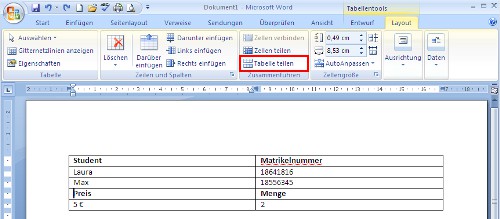
MS Office Word: lines parts
In a further practical tip we show you how you can in Word insert formulas.





