
So, you will create a Poster with LibreOffice
The easiest way to create your Poster with the LibreOffice module "Draw". With "Calc" or "Writer" you can create a Poster, but only up to a maximum of A3 size. We use in the example, LibreOffice Draw - in the other modules, you follow the same:
- You Open The Draw.
- Then click on the tab "Format".
- Then select "page...".
- Here you can select under the item "paper size", the desired Poster size (e.g. A0 to A6).
- Confirm your selection finally, with the "OK"Button.
- The paper size is now set appropriately and you can create your Poster by inserting graphics or images.
- In "Writer" and "Calc" to find the Poster-function under "Format > page" > "page". Here, A3 can, however, create a maximum.
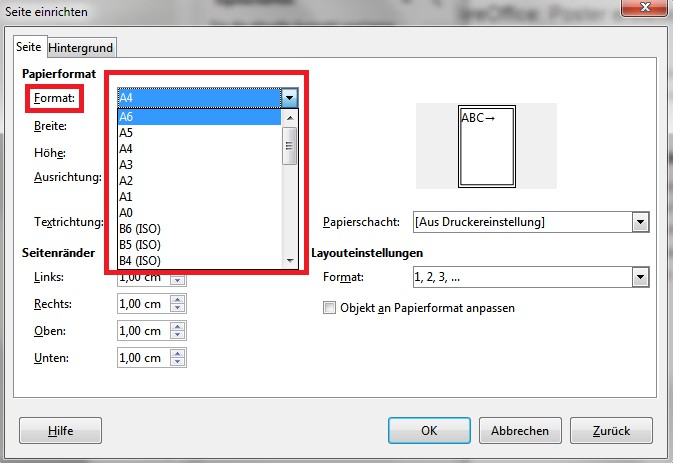
LibreOffice: Poster create
As with LibreOffice, a Flyer create can, we will show you in a further practical tip.





