Skype: the Chat logs on your Android Smartphone-delete
- You launch the Skype App on your Android device and search for the desired Chat.
- Press and hold your Finger on the Chat, then opens a menu.
- Here, select the Option "delete conversation" and confirm with "Delete".
- The desired Chat is now removed from Skype and cannot be restored.
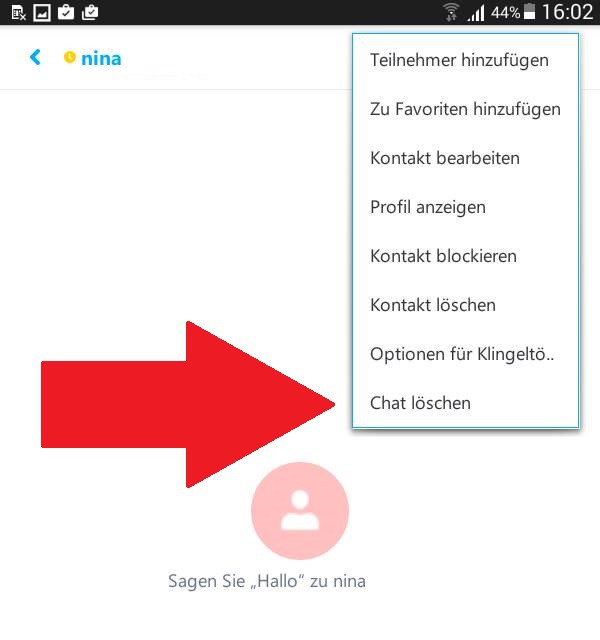
Android: Skype-delete Chat
Skype for iPad: the Chat logs on the iPhone/iPad delete
- Start the Skype App and open the desired Chat.
- Tap the top of the name of the contact appear to be more options.
- Here at the bottom, select the "delete Chat" and then confirm the operation.
- Note: Alternatively, you can also access via the above instructions for Android devices to target.

iOS: Skype chat log delete
On the next page, you will find still more tips to Skype. In addition, we can tell you in the next practice tip, how secure Skype really is.