A web album with Software Picasa create
Most comfortable is it to create the web album Software, Picasa. You can here download. In addition, you must have a user account with Google.
- Navigate in Picasa to the folder that contains the images for the album. If necessary, you must first add it to Picasa. To do this, click in the menu bar, click "file" and to add "folder to Picasa...".
- You want to upload the entire folder as a web album, click with the right mouse button on the folder and select "Picasa web albums upload". Otherwise, first select the pictures you want to upload. Single images you can mark with the combination "Ctrl+left mouse button". Then click with the right mouse button on a highlighted image and then select "Picasa web albums upload".
- If you haven't already, log in now using your user name and password in your Google account.
- You can now select an existing Album or click on the Button "New" to create a new Album.
- Set the size in which the images to be uploaded. You can choose between "original size" and "Best resolution for Sharing on the Web" (a maximum of 2048 x 2048).
- If you want to, you can add a message to the web album and directly share them with other people. Then click on the Button "Upload".
- About the address https://plus.google.com/u/0/photos or https://picasaweb.google.com can you (jew. after you Login) to your uploaded photos and albums access.
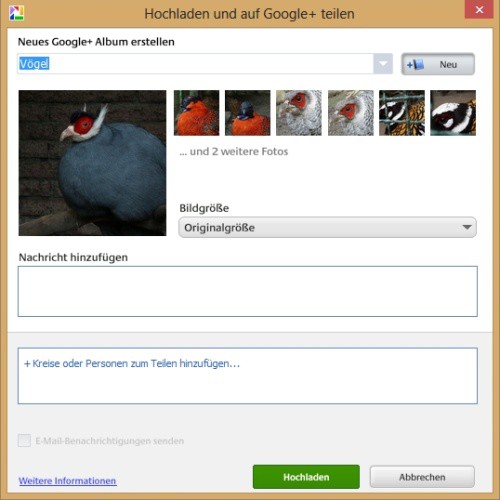
A web album with Picasa create
A Picasa web albums without additional Software
You can also create on-line, i.e. without having to Download/install Picasa, a web album. A Google Account is, however, still required.
- Go to https://picasaweb.google.com or https://plus.google.com/u/0/photos.
- Click on the button "Upload photos" or "Upload".
- You can now drag photos from your Computer into the new window. The images are then uploaded automatically. Alternatively, you can also start a file browser and all your images so choose.
- Enter a name for the web album and click on the "OK" Button or "Add".

A new web album create online