
Bookmark inOpera manage
Top left, click on "Opera" and select the context menu item "bookmarks". Now you are in the bookmarks view, you can make various Changes.
- Delete bookmark: to delete a bookmark, move the mouse pointer over the bookmark and click on the small "X" in the top right of the thumbnail image.
- New bookmark: add to Call with Opera, the page that you want to add to your bookmarks. To the right of the Browser box, you will find a heart icon, which is highlighted in grey. Once you click on it, it will be colored red, and the page saved as a bookmark. Under the thumbnail image, you can select with a click on "unsorted bookmarks" folder in which the bookmark is to be saved.
- Create a new folder In the bookmark view on the left, click "New folder" a new folder for your bookmark. To do this, enter the name and confirm with a click on "Add".
- Created folders to delete: Click in the top left, on "Opera" and move the mouse pointer over "bookmarks", so that a further menu-the strand opens. Here, you navigate with the mouse pointer on "My folder". Right-click on the folder you can Delete using the function "remove" the folder and its bookmarks.
- Bookmark share: - Created bookmarks you can share, more recently with friends. To do this, move the mouse pointer over a bookmark in the bookmarks view and click on the top left on the small hook. Then click on the "Share" Button in the top right of Opera and send the Link via Social-Media networks to your friends.
- As you bookmarks from Opera to export or import can, we will show you in a further practical tip.
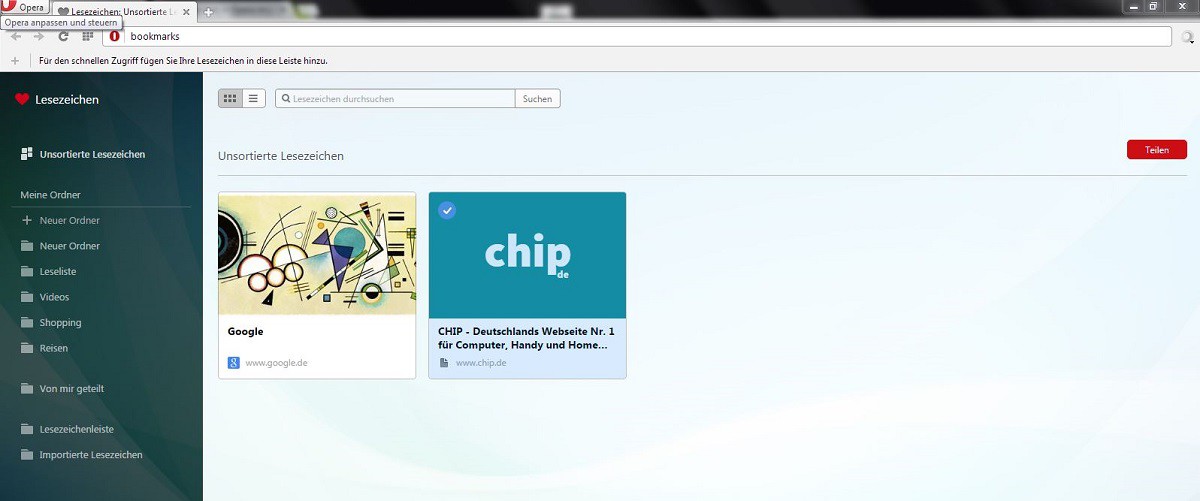
Manage favourites in Opera





