IE: spell check disable
The spell checker is only integrated in Internet Explorer 10. In older versions there was a function in the new Version 11 has been abolished.
- Click the top right of the window, click the Gear icon.
- Here, select the Option "manage Add-Ons".
- Left click in the window below the "Add-On types" in the category of "spelling".
- Select, if necessary, the language "English" and remove the bottom of the hook in front of the Option "enable spell checker".
- Click on the "Close" Button, be taken to your settings.
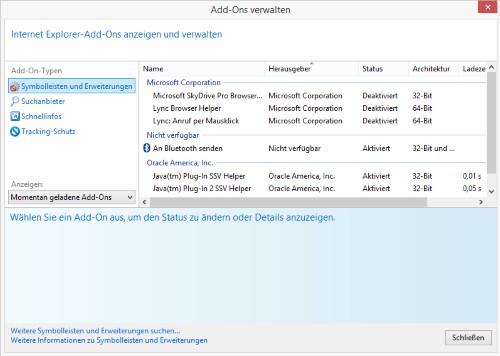
IE: spell check turn off
How to use the Tracking protection in Internet Explorer to set up, we will show you in this practical tip.