
A profile picture on YouTube change
- You open your YouTube channel and hover the mouse over your profile picture.
- There is a little pencil will appear in the top right corner. Click on this link.
- With a Click on the Button "Google+" will be redirected to edit them to your G+ profile.
- You drag a photo into the images field in the Browser or click on "select a photo from your computer".
- Select the desired image from your Computer and cut it if necessary.
- Via the Button "select as profile photo", the image is saved as a new profile picture on Google Plus and YouTube.
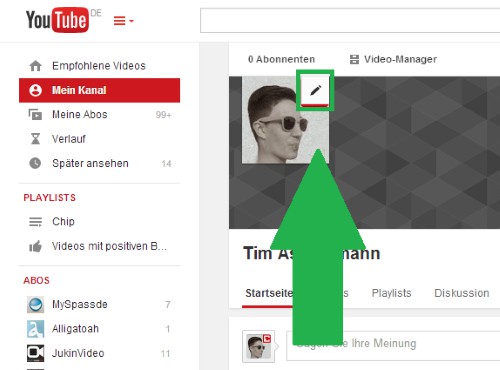
YouTube: profile image change
As individual YouTube user comments lock, we will show you in the next tip.





