
Start task Manager in Google Chrome
Via the Chrome task Manager you can end, among other things, grumpy Tabs and the utilization of individual sites to see. To open the analysis Tool:
- Click with the right mouse button on a free spot in the menu bar and select "task Manager".
- Alternatively, the key combination [shift] + [Esc] is sufficient.
- The Link "stats for Nerds", you receive even more detailed information about each of the Chrome processes.
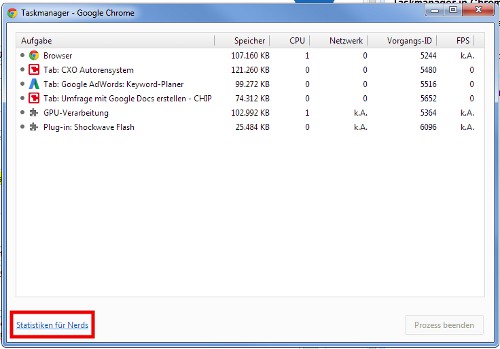
The Chrome Task Manager
The individual loads also give you hints on why Chrome is crashing. In a different practical tip we will show you more causes.





