
Controller of the Playstation 4 with a button to turn off printing
- Press on for ten to twelve seconds and the PS button in the middle of the controller, to turn off the device.
- So that you can later play with the PS4 Controller, simply press and release the HP button.
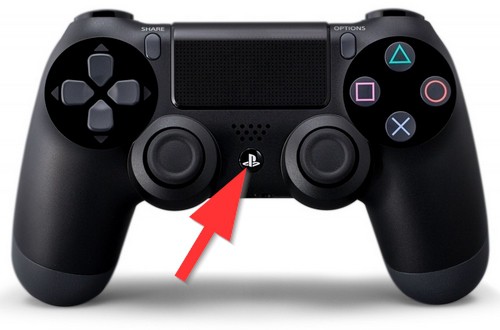
PS4 Controller off
PS4 Controller to automatically switch off
You can also set a time for your PS4 Controller automatically switches off.
- You go into the settings and select the "power options".
- Deactivate the "DualShock 4".
- Now, set a time after which your Controller will shut down. You can choose between 10, 30 and 60 minutes.
Thus, you can play with your friends, you need another PS4 Controller to log on. You will find a tutorial in the next practical tip.





