
Louder PC games - it's
Current PC games require a high computing performance. If your PC is so only when you Play loud, it is because the fan rotate faster than in normal operation in order to ensure sufficient cooling. Mostly the CPU and video card fan are the biggest "noise-maker":
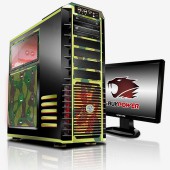
Gaming PC for uninterrupted Play
Video card is in Play, according to
The video card or the video card fan while playing is too loud, offer the following solutions:
- You clean the fan. How you best to proceed, you can read here.
- Depending on the model, can also be used in a graphics card, the fan replaced, however, in most cases, more difficult than in the processor. Check whether your graphics card model, a Fan replacement is feasible. Detailed instructions can be found here.
- The fan is not changing, you should think about buying a new graphics card. You are looking for then a model with quieter ventilation. In our "best of" list we have the Top graphics cards together for you.
More tips for a silent gaming PC
- In addition to the CPU and graphics card fans, you should also cleanse all of the other in the PC case mounted fan.
- Also the installation of additional case fan can help to provide a lower temperature in the PC-Internal in the Play. As a rule of thumb: The bigger a fan is, and the slower it turns, the quieter it is in operation.
- When you Install an additional fan that you generate in the ideal case, a flow of air, the cold air into the PC case sucking in, and warm air blows.
Of course, you can also use simply headphones when Playing. The best Noise-canceling and Gaming headphones we'll show you in a further practical tip.





