
Problems in Samsung Kies prevent
With these tips, you can avoid problems in the gravel quite simple:
- Use only the original USB cable and avoid USB Hubs or extensions.
- Disconnect for the duration of the connection other USB devices, because these prepare often complications, by grabbing too much power.
- Make sure that the Installation of Kies that you install the program completely, not just the USB driver.
- In the menu item "tool" offers gravel a "connection error search," which automatically searches for errors and fixes.
- Disable it during the Transfer your Windows Firewall as well as the corresponding anti-virus protection, as this Samsung Kies often block. Make sure, however, this again!
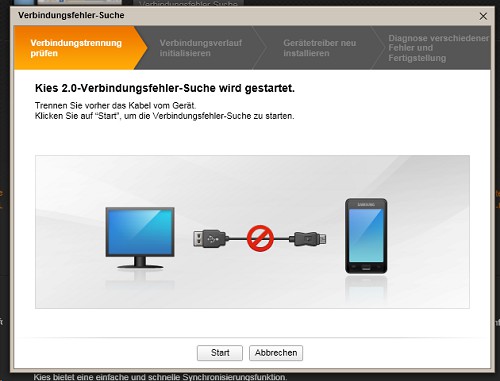
Gravel: Connection Error-Search
"Error Retrieving permission from the GT-XXXX-Administrator. The program will be closed" – what to do?
One of the most common mistakes is that Kies is closed due to a permission error. This error occurs if the Installation was faulty. How you can fix it, we can tell you the Following:
- Download the free program "Revo Uninstaller" and install it.
- You start the program, then as an Administrator. You right-click on the shortcut and select "run As Administrator".
- You search the list for "gravel" and double click on it. You will confirm in the next window with "Yes".
- For mode, choose the "advanced mode". Thus, all of the files and folders of the program will be deleted after the Uninstallation.
- Follow the instructions in the wizard and delete all the files, folders and Registry entries.
- When you are finished, download Kies re-download and install it as an Administrator . Then you don't have to start the program as Administrator, so that the error does not happen again.
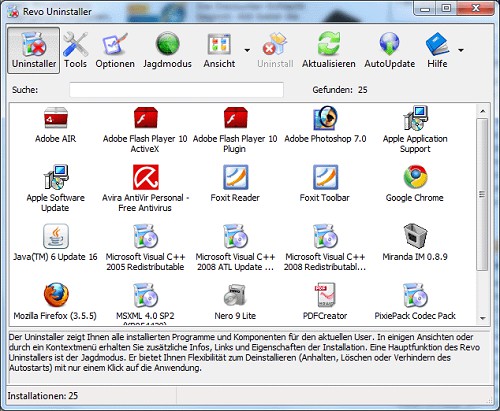
Gravel uninstall Tool
This practical tip is based on Kies 2.3.6. A short manual of Samsung Kies we will show you in a further practical tip.





