
Huawei GX8 in the menu to reset
If you GX8 is still working, you can reset it via the menu.
- You can open the settings on your Smartphone.
- Here, select "Backup and Reset".
- Tap on the entry "reset To factory settings" and confirm with "reset device".
- The security question you to confirm "erase Everything".
Huawei GX8 reset by button combination
Your Smartphone is not responding, you can reset the Reset via key combination back.
- Turn off your GX8 first of all, by keeping the Power button pressed.
- Now press simultaneously the Power and volume down button for a few seconds, until the Huawei Logo appears.
- Wait until the menu is loaded, and then navigate with the volume up and volume down buttons "wipe data / factory reset" and confirm with the Power button.
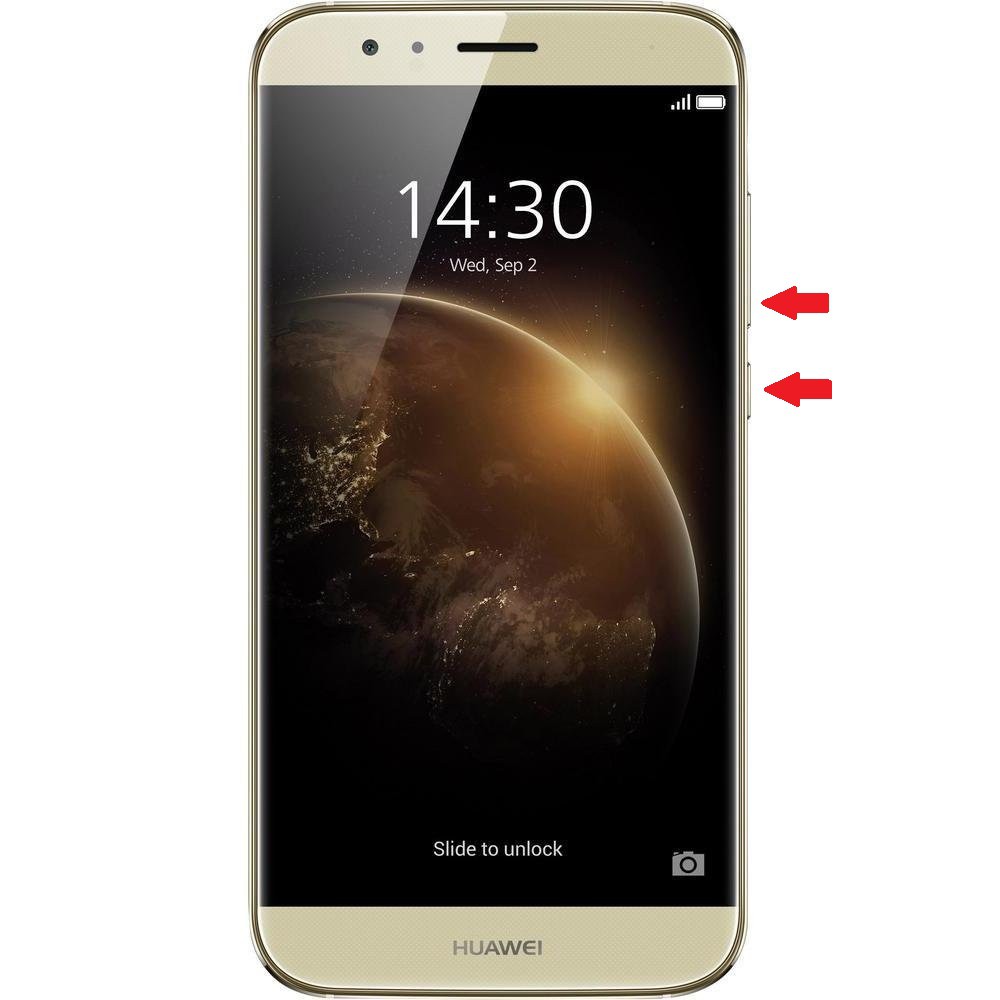
Huawei GX8: Hard Reset
In the next article, we will show you how to make your Apps on the Huawei GX8 sorted in folders.





